Most internal tools start as a spreadsheet. Tylt's started as a CPG order tracking view built for the founding team, a way to monitor what was moving through the platform day to day. As Tylt scaled from one product surface to many, the admin panel absorbed each new operational need. No single redesign. Just continuous expansion driven by what the platform required next.
By the time CrossRamp India launched (44 merchants, $8M+ in monthly transaction volume), the platform had introduced a new category of operational work: disputes. Buyers and sellers disagreeing, in real time, about whether a payment had happened. At low volume, the founding team could absorb it. At scale, it needed dedicated tooling and dedicated people.
When dispute resolution first came into scope, Tylt had three support agents handling it across three tools: the Tylt app's in-built dispute agent feature to take the actual action, WhatsApp to coordinate with merchants, and Telegram to coordinate with cashiers. The mechanics existed. The workflow didn't scale.
Tylt app to take the dispute action
WhatsApp to coordinate with the merchant
Telegram to coordinate with the cashier
Lost context between tool switches. No queue view. Agents reconstructed what was open from memory. Multiple back-and-forth sequences across separate channels for a single resolution.
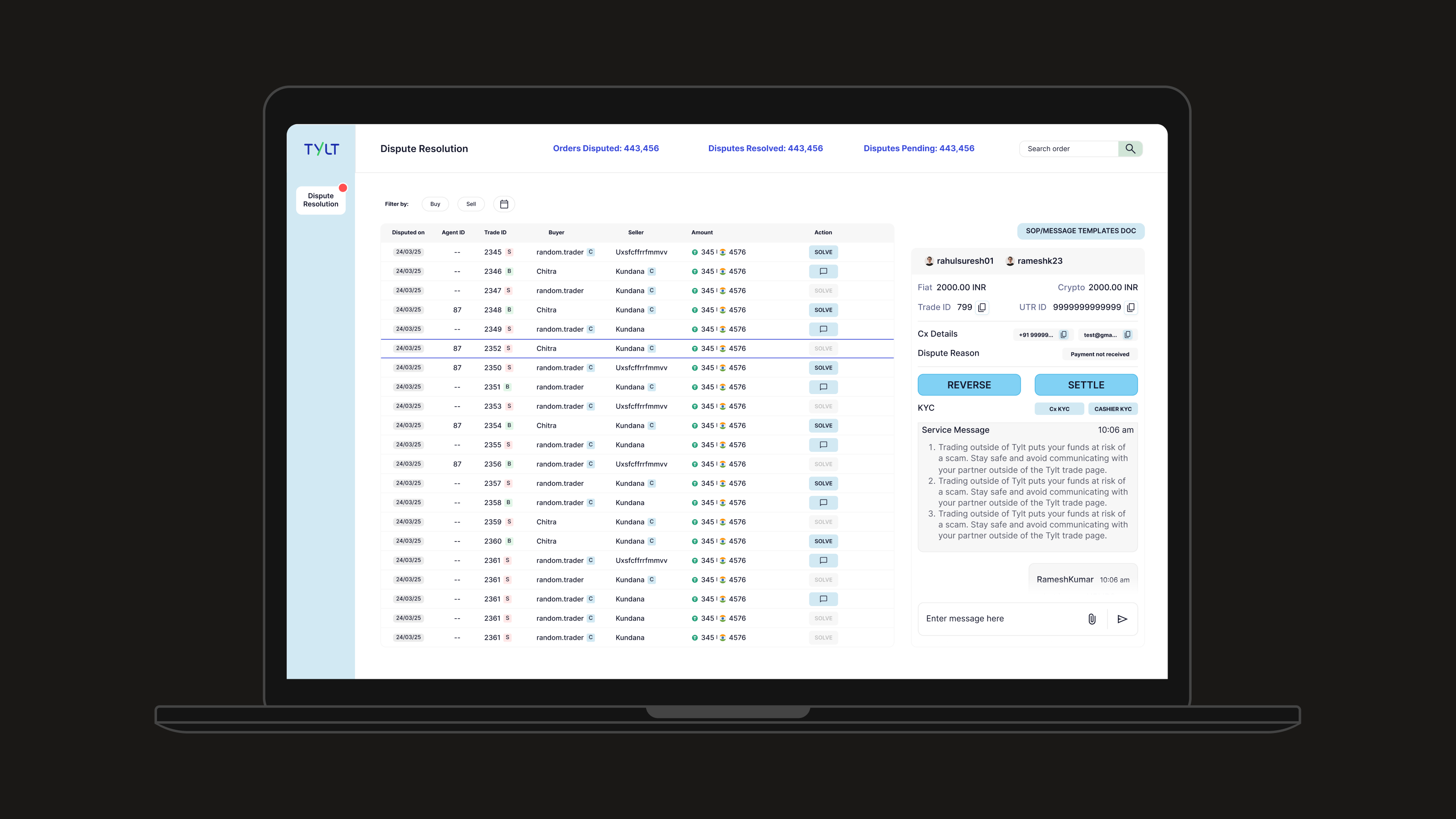
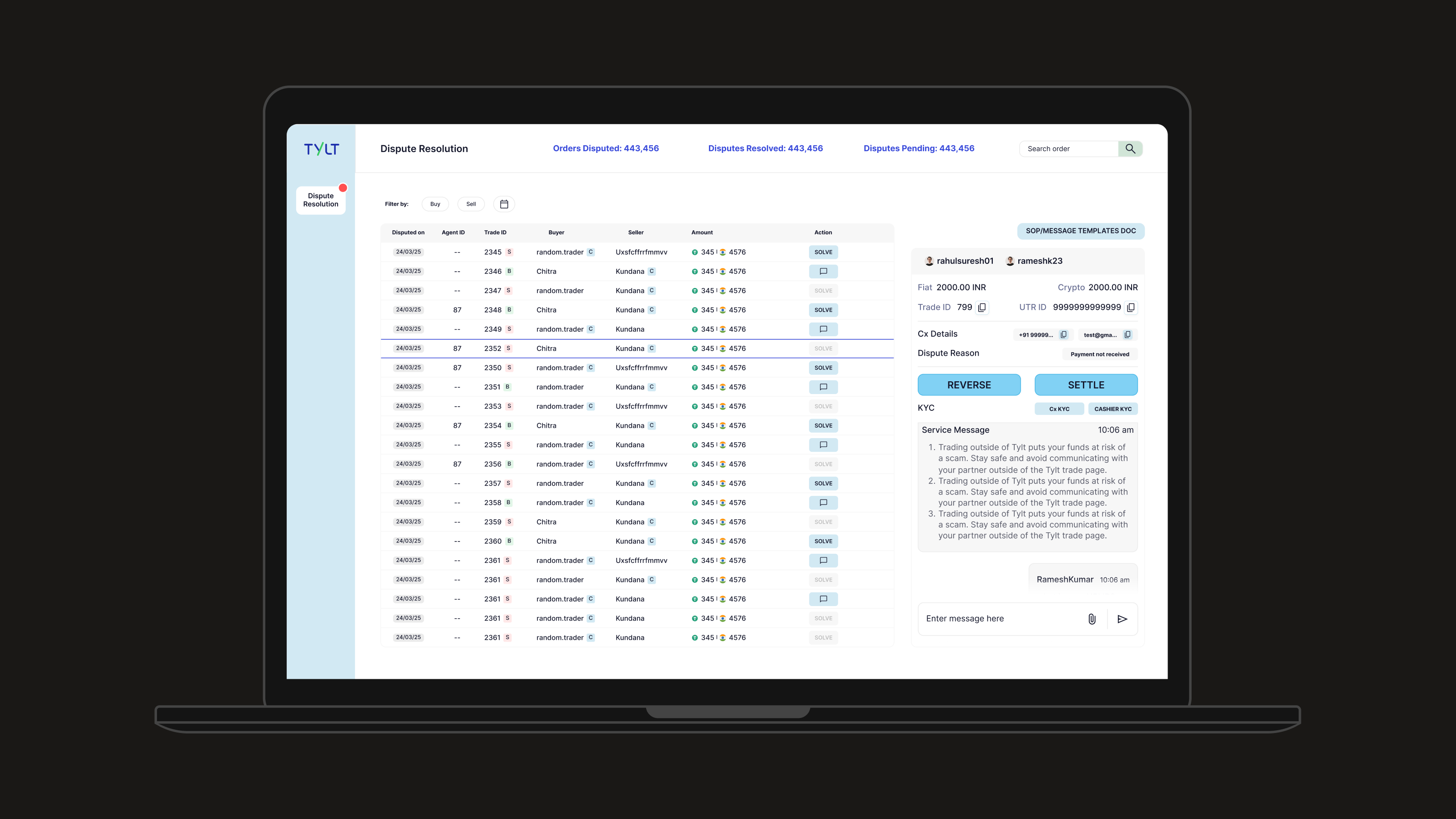
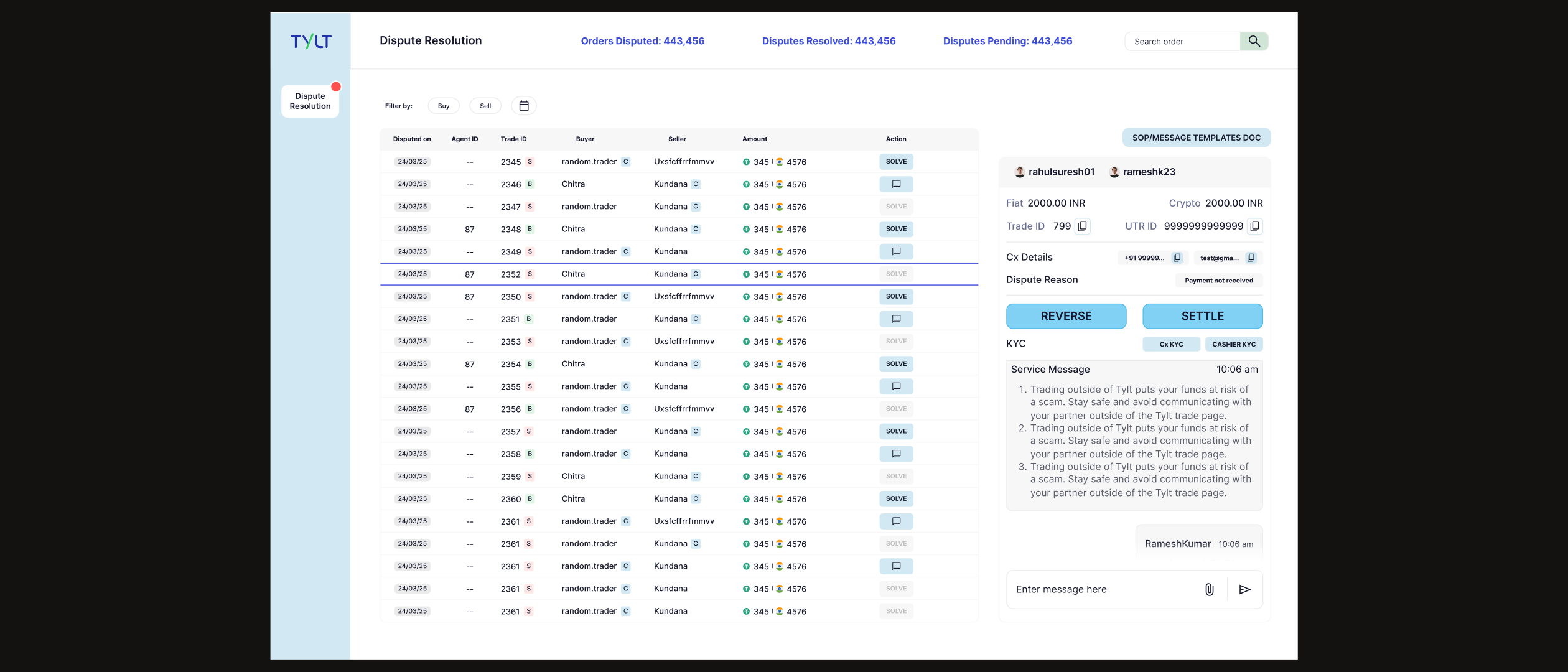
Single panel with the full dispute queue always visible
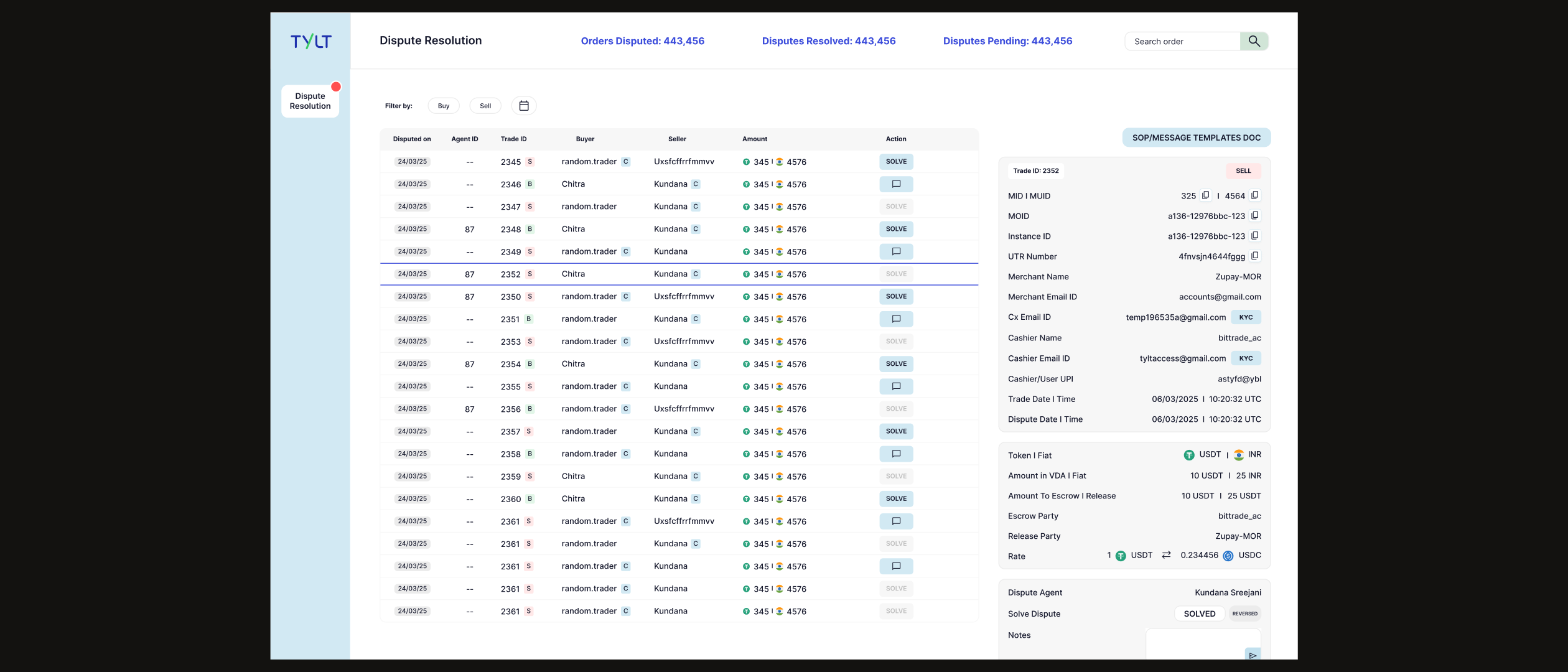
All transaction context (UTR, cashier, merchant, escrow amounts) in one view
Embedded coordination: action and conversation in the same screen
External tools not eliminated, but dependency on them largely reduced. Most disputes resolved without leaving the panel.
The founders brought the problem to me. Agents were spending too much time coordinating rather than resolving. But the key constraint was this: the support team already knew how to settle a dispute. They were doing it daily through the in-app feature. The action (REVERSE or SETTLE) was already understood.
The design question wasn't what should the action be. It was: what does an agent need to know before taking that action with confidence, and how do you let them work across twenty concurrent disputes without any of them bleeding into each other?
“The team didn't need to learn a new way to close a dispute. They needed every relevant data point at the moment of decision, and the ability to track the full queue without losing context of any single case.”
Resolving one dispute means leaving the queue entirely. Every navigation costs context: agents lose sight of what else is pending, and returning interrupts the mental model of the case they were working.
The dispute queue stays visible while working any individual case. Agents see total pending count, can switch between disputes without losing orientation, and never leave the context of the workload.
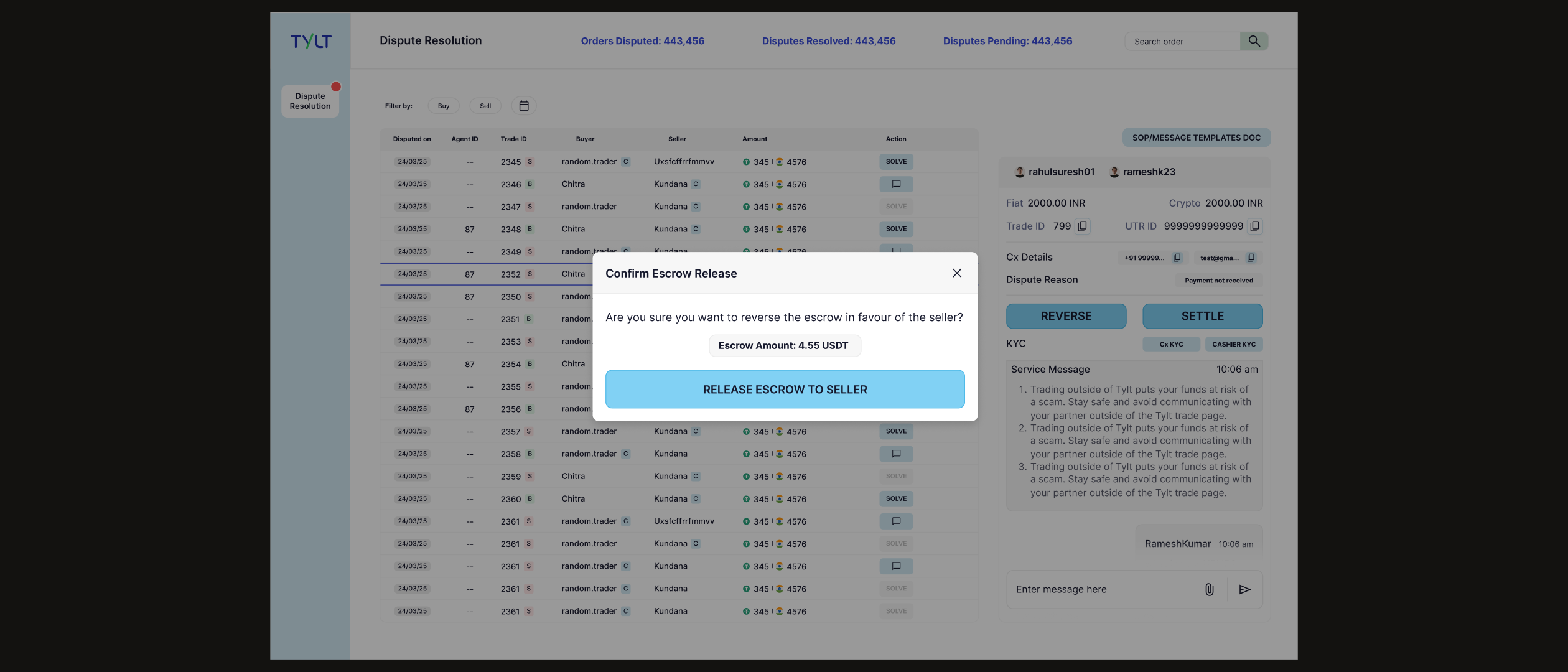
Agents already understood REVERSE and SETTLE from daily in-app use. Rebuilding the action model would introduce a relearning cost with no functional gain, changing what works to make it feel more “designed.”
REVERSE and SETTLE remain the same binary. What changed is everything surrounding them: UTR number, merchant details, cashier details, escrow amounts, trade and dispute timestamps, all visible before the decision is made.
External coordination meant context lived outside the system. Resolving a dispute required mentally stitching together three separate conversations, with no single source of truth and no audit trail inside the platform.
The chat interface lives in the same view as the transaction data. The conversation and the decision happen in the same place. Context isn't reconstructed. It's already there.
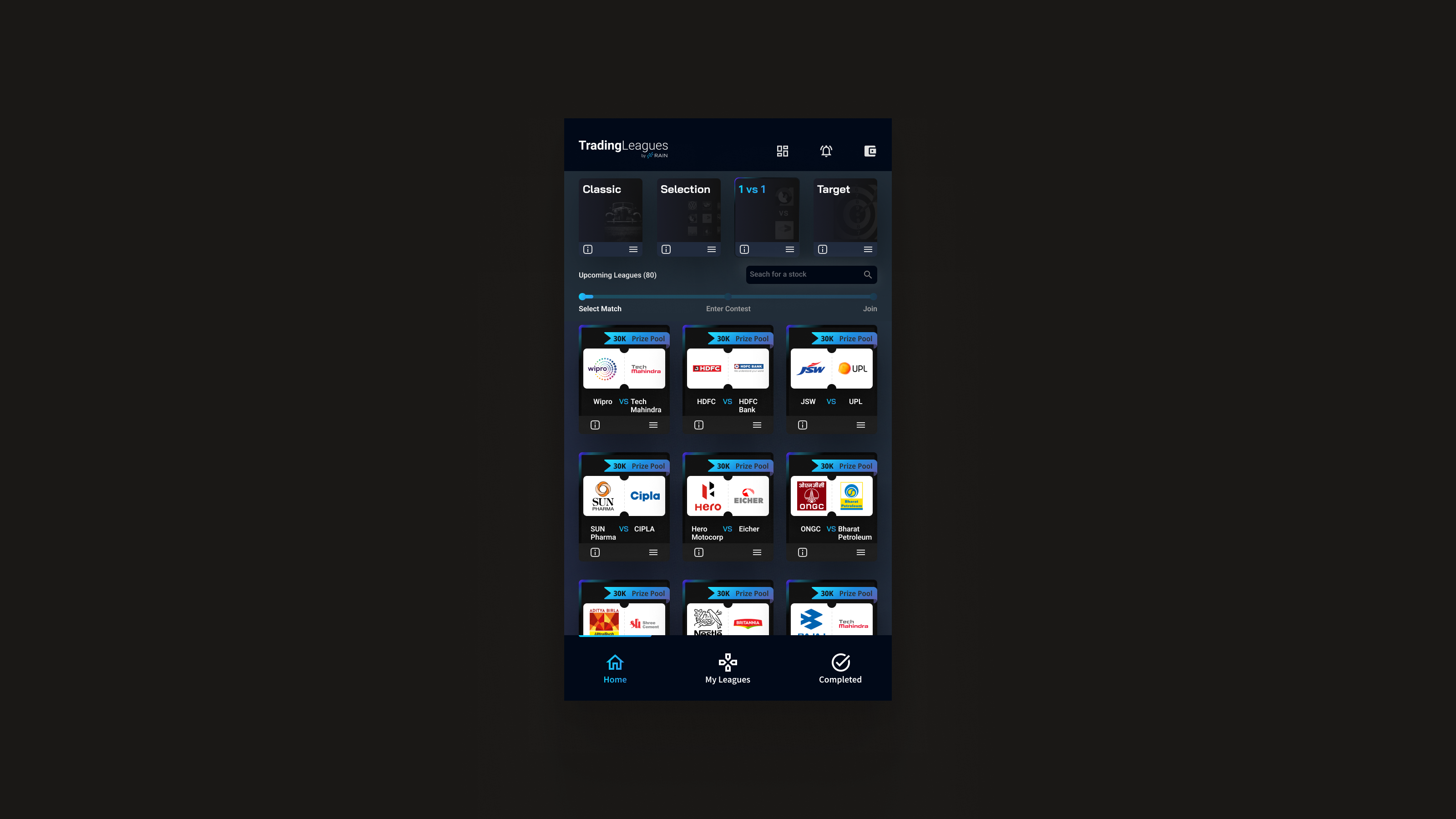
Dispute resolution was the most complex design problem in the system, but it sat within a broader internal operations interface covering the full operational surface of the platform. Depending on their access tier, merchants also received a version of this panel, a merchant-facing insights view that let them monitor their own transaction activity without routing every query through the ops team.
After the Dispute Resolution panel launched, the rate at which disputes were resolved improved because agents had the context they needed at the point of decision, rather than reconstructing it from three separate tools. WhatsApp and Telegram weren't eliminated, but dependency on them dropped significantly. The coordination overhead that had been the primary cost of each dispute was largely absorbed by the panel itself.
The most important decision in this project wasn't what to build: it was what not to change. The support team had learned a workflow. They understood the action. Rebuilding it from scratch would have introduced friction with no benefit. The right move was to preserve the familiar pattern and redesign the context around it.
The harder design problem in internal tooling is almost never the individual interaction. It's the information architecture: how do you give someone everything they need for a decision without overwhelming the interface? How do you surface twenty concurrent disputes without any of them collapsing into noise? Those are layout and hierarchy problems, not feature problems.
What I'd apply again: before designing anything for an ops team, map the decisions they're making and identify what data they need at the moment of each one. The gap is almost always there: not in the action itself, but in the context that should surround it.
Metrics and outcomes shown are directional. Specific figures reflect overall trends, not audited data.